Where you place your desk in your home office can make all the difference in how productive, comfortable, and focused you feel throughout the day. Are you struggling to decide whether your desk should face the window, sit against a wall, or be angled somewhere in between?
The right position isn’t just about aesthetics—it affects your mood, energy, and ability to concentrate. You’ll discover simple yet powerful tips to find the perfect desk spot that suits your work style and space. Keep reading to transform your home office into a place where you can truly thrive.
Desk Placement Options
Choosing the right desk placement in your home office affects comfort and work focus. Different positions offer unique benefits and challenges. Understanding each option helps you find the best fit for your space and needs.
Facing The Window
Placing your desk facing the window lets natural light brighten your workspace. This setup can improve mood and reduce eye strain. A window view offers a refreshing break for your mind during work. The main drawback is screen glare, which may cause discomfort. Also, outside activities might distract your attention.
Facing Away From The Window
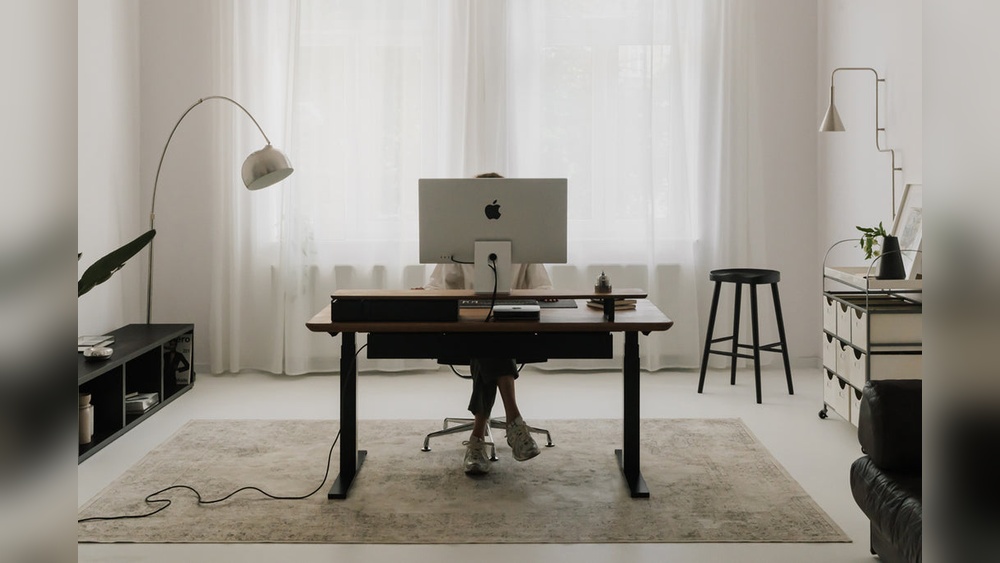
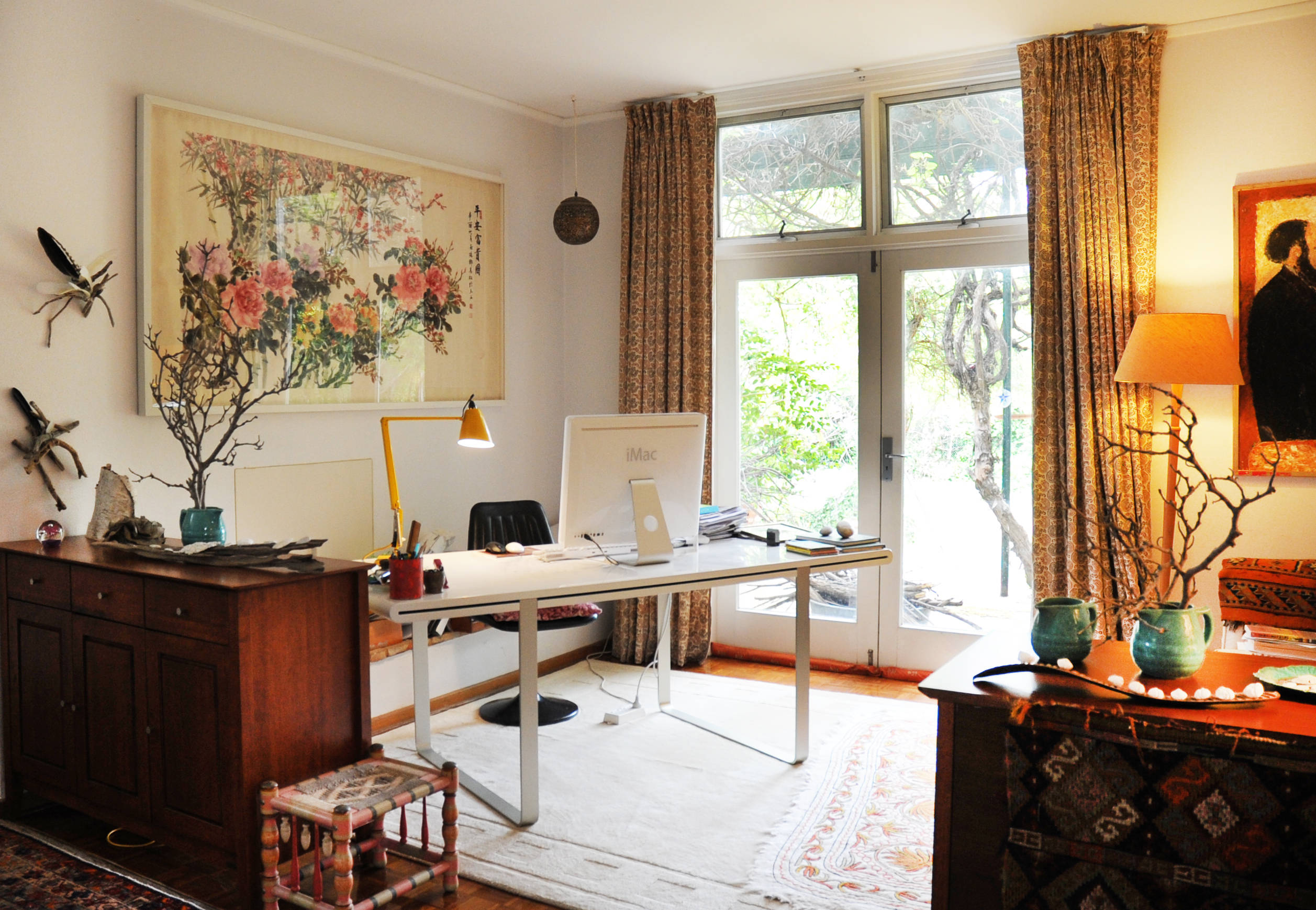
Positioning your desk with your back to the window reduces screen glare and sunlight. This placement creates a stable view of the room, which can increase focus. It often feels secure with a solid wall behind you. The downside is less natural light and a more closed-in feeling. You might need extra lamps to keep the space bright.
Perpendicular To The Window
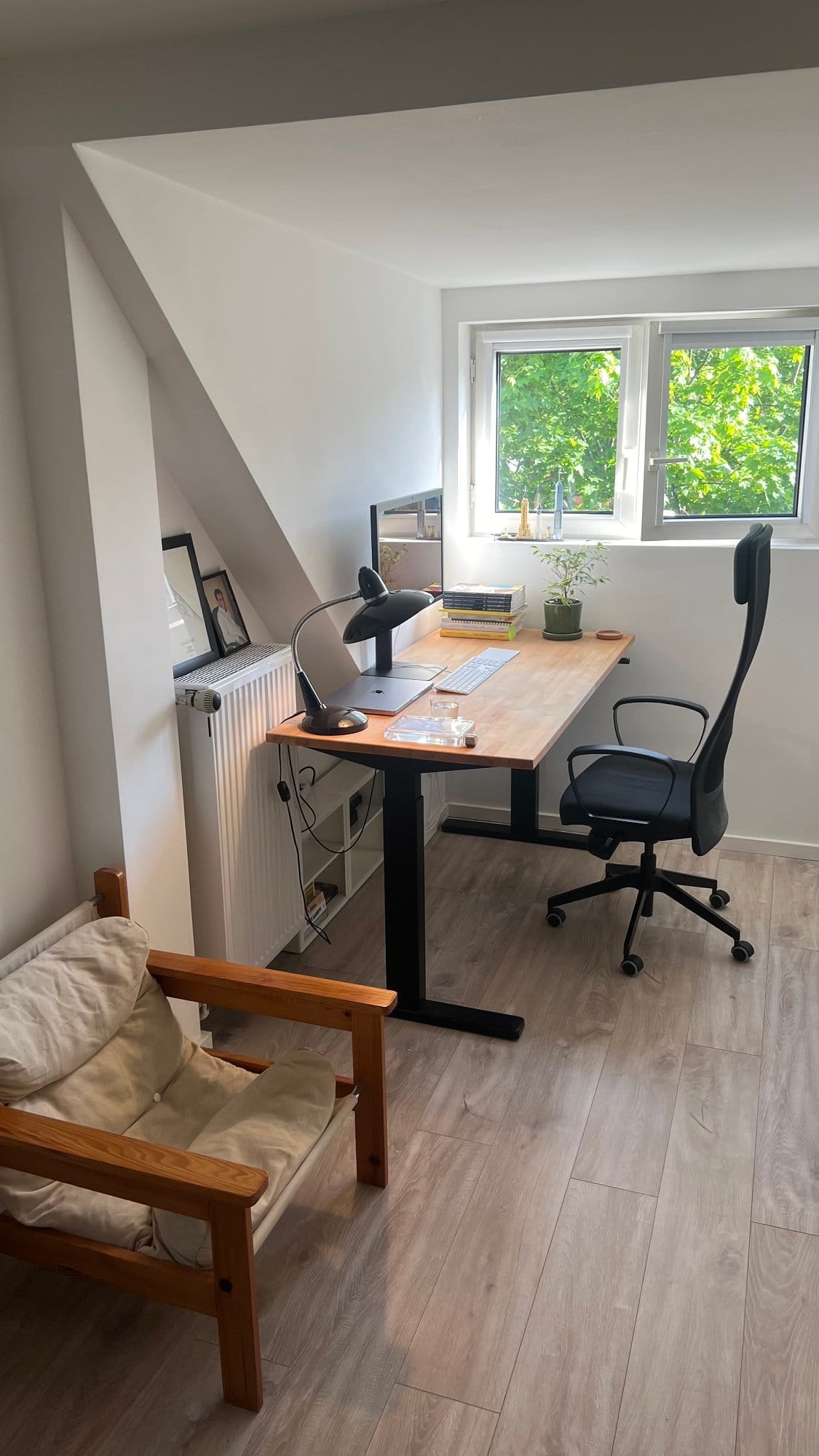
Setting your desk at a right angle to the window balances light and glare. It allows soft natural light without shining directly on your screen. You can glance outside without turning your whole body. This position often feels open and less distracting. It suits many people seeking comfort and productivity.
Pros And Cons Of Window Facing
Positioning your desk to face a window in your home office brings both advantages and drawbacks. This setup impacts your comfort, focus, and productivity. Consider these factors carefully to decide if window-facing suits your work style and space.
Benefits Of Natural Light And Views
Natural light brightens your workspace and lifts your mood. It reduces the need for artificial lighting during the day. A window view offers a mental break from screen time. Watching nature or city life can refresh your mind. This setup can make your office feel more open and inviting. Sunlight also helps regulate your body’s natural rhythms.
Challenges With Glare And Distractions
Direct sunlight can create glare on your computer screen. This makes it hard to see and causes eye strain. Moving your screen or using curtains may help but can limit light. Outside activity can catch your attention and reduce focus. Noise from traffic or neighbors might be distracting. Balancing light and minimizing interruptions is key in this setup.
Advantages Of Facing Away
Positioning your desk facing away in a home office has clear advantages. It creates a calm, controlled workspace. This setup reduces distractions from outside views. It supports better screen visibility and enhances your focus. Many find it easier to concentrate with a solid wall behind them.
Reduced Screen Glare
Facing away helps avoid direct sunlight on your screen. This reduces glare, making it easier to see. Less glare means less eye strain during long work hours. You can work comfortably without adjusting blinds or curtains. This setup keeps your screen clear and visible all day.
Enhanced Focus And Security
Having your back to a wall creates a feeling of security. It prevents unexpected distractions from behind. This position helps you feel more in control of your space. It allows deeper focus without worrying about movement behind you. Many people find it easier to stay productive in this setup.
Credit: www.meritagecollection.com
Balancing Light And Focus
Balancing light and focus in your home office is key to productive work. The right desk position lets natural light brighten your space without causing glare. It also minimizes distractions, helping you stay on task. Thoughtful placement creates a calm, comfortable environment that supports long work hours.
Sideways Desk Positioning
Placing your desk sideways to a window offers a smart balance. This position gives you natural light from the side, reducing screen glare. You can still enjoy outdoor views without being distracted by them. Sideways positioning also helps prevent eye strain and keeps your workspace feeling open and fresh.
Managing Natural Light Effectively
Control natural light with curtains or blinds to avoid harsh glare. Soft, diffused light works best for focus and comfort. Position your desk where light flows evenly across your work area. Use task lighting for darker hours to maintain consistent brightness. Proper light management keeps your eyes comfortable and your mind sharp.
Feng Shui Desk Placement Tips
Feng Shui desk placement tips help create a balanced and productive workspace. The right desk position can improve focus, reduce stress, and invite positive energy. Applying Feng Shui principles can turn your home office into a calm, inspiring area. Small changes in desk orientation make a big difference in work comfort and flow.
Command Position Benefits
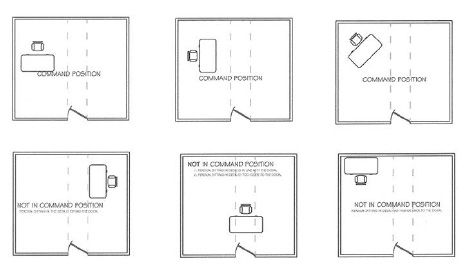
The command position means your desk faces the door without being directly in line with it. This spot gives a clear view of anyone entering the room. It creates a feeling of control and safety. You work better when you see opportunities and avoid surprises. Having a solid wall behind you adds support and stability. This setup helps reduce anxiety and improves decision-making.
Ideal Desk Orientation For Energy
The best desk orientation balances natural light and minimal distractions. Placing the desk at a right angle to a window lets in sunlight without glare. You can enjoy the view without losing focus on your tasks. Avoid sitting with your back to the door, which can cause unease. Facing the door or at an angle invites positive energy and alertness. Keep the workspace clutter-free to let energy flow freely around you.
Maximizing Space In Small Rooms
Small home offices need smart desk placement to save space and boost comfort.
Choosing the right spot helps keep the room open and easy to move around.
Organizing the desk area well can make work more enjoyable and less stressful.
Using Corners Efficiently
Corners often go unused but can fit desks perfectly in small rooms.
Place an L-shaped desk to use two walls for work and storage.
This setup frees up the center of the room for other activities.
Adding shelves above the desk in the corner saves floor space too.
Avoiding Clutter Around The Desk
Clutter makes small rooms feel crowded and hard to focus in.
Keep only essentials on the desk to maintain a clean work area.
Use drawer organizers and storage boxes to hide papers and tools.
Regularly clear the desk to keep the space neat and inviting.
Lighting Solutions For Productivity
Proper lighting is essential for a productive home office. Good lighting reduces fatigue and keeps energy high. It balances brightness and comfort. This helps maintain focus during work hours.
Combining Natural And Artificial Light
Natural light boosts mood and alertness. Place your desk near a window but avoid direct glare on screens. Positioning the desk at a right angle to windows works well. This setup lets natural light fill your space softly.
Artificial lights fill gaps when daylight fades. Use adjustable desk lamps with warm or neutral light. Overhead lighting should be bright but not harsh. Layering these light sources creates a balanced environment.
Reducing Eye Strain
Eye strain slows productivity and causes discomfort. Avoid bright reflections and shadows on your screen. Use anti-glare screen protectors or blinds to soften sunlight.
Take regular breaks to rest your eyes. Follow the 20-20-20 rule: every 20 minutes, look 20 feet away for 20 seconds. Proper lighting and these habits reduce fatigue and keep your vision sharp.
Credit: www.houzz.com.au
Ergonomic Considerations
Ergonomic considerations play a key role in choosing the best desk position in your home office. Proper setup reduces strain and boosts comfort. It helps maintain focus and productivity throughout the day.
Placing your desk with ergonomics in mind means paying attention to height, chair placement, and posture. These factors keep your body aligned and prevent fatigue.
Optimal Desk Height And Chair Placement
The desk height should allow your elbows to rest at a 90-degree angle. Your forearms must be parallel to the floor. Adjust your chair so your feet lie flat on the ground or on a footrest. The chair should support your lower back firmly.
Keep the top of your computer screen at eye level. This prevents neck strain. Space between your eyes and the screen should be about 20 to 30 inches. Make sure you can reach your keyboard and mouse without stretching.
Maintaining Comfortable Posture
Sit with your back straight and shoulders relaxed. Avoid slouching or leaning forward. Keep your head aligned with your spine. Take short breaks to stretch and change positions often.
Ensure your hips are slightly higher than your knees. This helps blood flow and reduces pressure on your lower back. Use a chair with adjustable height and lumbar support. Good posture helps prevent pain and improves work efficiency.
Customizing Desk Setup To Work Style
Customizing your desk setup to fit your work style boosts both comfort and productivity. Your daily tasks and personal preferences shape the best desk placement. The goal is to create a space that supports how you work and think.
Creative Workspaces
Creative workers thrive in inspiring environments. Position the desk near a window for natural light and views. This setup fuels imagination and fresh ideas. Use colorful decor and plants to spark creativity. Keep tools and materials within easy reach for smooth workflow.
Focused Task Areas
For focused work, minimize distractions around the desk. Place the desk against a solid wall for a sense of security. Avoid facing busy areas or windows with heavy traffic. Use task lighting to keep the workspace well-lit without glare. Organize supplies neatly to maintain concentration.
Credit: www.makerstations.io
Frequently Asked Questions
Should A Desk Face The Window Or Away?
Place your desk perpendicular to the window for natural light without glare. Facing away reduces distractions but may feel isolating. Choose based on your focus and comfort needs.
Which Direction Is Best For A Work Table At Home?
Position your work table perpendicular to a window to enjoy natural light without screen glare. Ensure the desk faces the door with a solid wall behind for security and focus. This setup boosts productivity and minimizes distractions in a home office.
What Is The 20 8 2 Rule For Standing Desks?
The 20-8-2 rule for standing desks means standing for 20 minutes, sitting for 8 minutes, and moving for 2 minutes each half hour. This balances activity and rest to reduce fatigue and improve productivity.
Where Should A Desk Be Placed In A Feng Shui Home Office?
Place your desk facing the door with a solid wall behind for support and control. Position it perpendicular to a window to enjoy natural light without glare. Avoid sitting with your back to the door to maintain focus and positive energy flow.
Conclusion
Choosing the right desk position affects focus and comfort greatly. Placing your desk perpendicular to a window balances natural light and reduces glare. Facing a solid wall can boost concentration but might feel less inspiring. Sitting with a view helps reduce stress but may cause distractions.
Remember to position your desk so you can see the door for a sense of control. Test different layouts to find what feels best for your work style. A well-placed desk creates a productive and pleasant home office space.