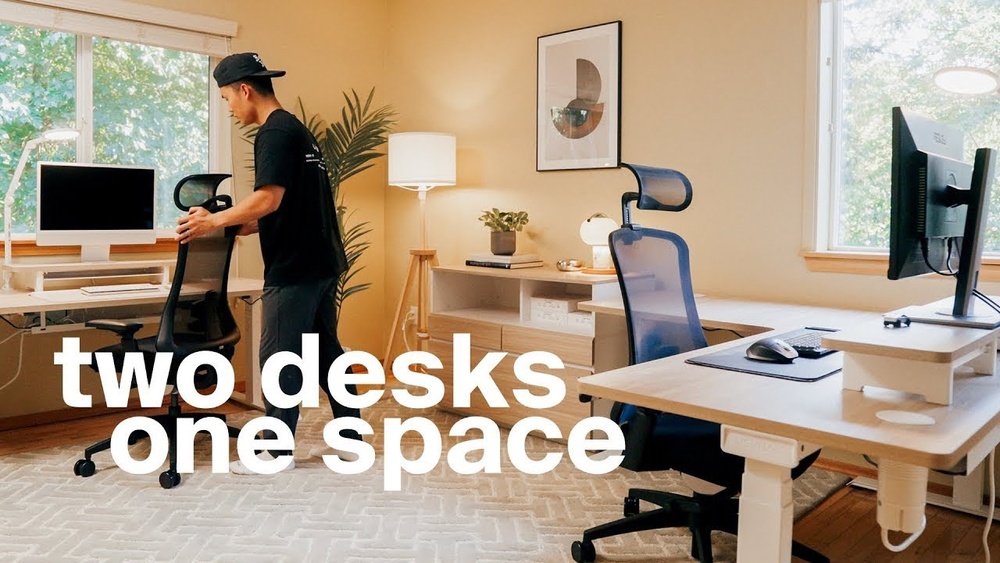
Setting up a home office with two desks might sound tricky, but it can transform your workspace into a hub of productivity and comfort. Whether you’re sharing the space with a partner or simply want separate areas for different tasks, having two desks gives you the freedom to organize your work life better.
Imagine having one desk for focused tasks and the other for meetings or creative projects—everything at your fingertips without clutter or distractions. Ready to create a workspace that boosts your efficiency and suits your style? Keep reading, because we’ll guide you step-by-step on how to set up a home office with two desks that works perfectly for you.
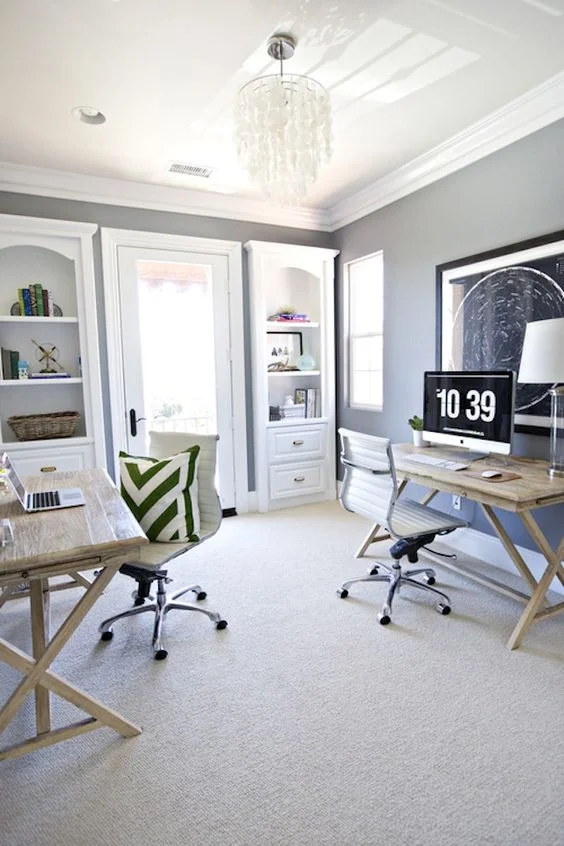
Credit: renoguide.com.au
Choosing The Right Desks
Choosing the right desks is key to setting up a functional home office with two workspaces. The desks must fit the room and support your daily tasks. Size, shape, material, and flexibility all play a part. Pick desks that help you stay organized and comfortable. The right choice improves productivity and creates a pleasant work environment.
Desk Sizes And Shapes
Select desks that match your available space. Rectangular desks fit most rooms and offer plenty of surface area. L-shaped desks create corner workstations, giving more room for multiple tasks. Compact desks save space in smaller rooms but still provide enough work area. Measure your room before buying to avoid overcrowding. Think about how much space each person needs for comfort.
Material And Durability
Choose desks made from strong materials like wood, metal, or laminate. Solid wood offers durability and a classic look. Metal frames add stability and modern style. Laminate desks resist scratches and stains, making cleaning easier. Durable desks last longer and handle daily wear well. Pick surfaces that suit your style and withstand your work habits.
Adjustable And Modular Options
Adjustable desks allow you to change height for sitting or standing. This supports better posture and reduces fatigue. Modular desks let you rearrange parts to fit changing needs. You can add shelves or extra surfaces as your work grows. These options offer flexibility and help create a personalized workspace. They adapt well to shared home office setups.
Space-saving Layouts
Designing a home office with two desks requires smart use of space. Space-saving layouts help fit both desks comfortably. They keep the room organized and functional. Choosing the right layout boosts productivity and comfort. Consider your room size and shape before picking a layout.
Corner Desk Arrangements
Corner desks fit snugly into room corners. They use space that usually goes unused. Place one desk in each corner for two people. This setup offers privacy and personal space. It frees the center of the room for movement. Add shelves above desks for extra storage.
Side-by-side Setup
Side-by-side desks line up against one wall. This layout works well in narrow rooms. It encourages easy communication between users. Desks can share power outlets and lighting. Use desk dividers to keep focus and reduce distractions. Keep cables tidy with clips or trays.
Back-to-back Configuration
Desks placed back-to-back create separate zones. This layout suits shared rooms needing privacy. Each person faces away from the other. It reduces noise and visual interruptions. Use a low bookshelf or screen as a divider. This setup allows good use of floor space.
Optimizing Storage
Optimizing storage is essential when setting up a home office with two desks. Proper storage keeps the workspace tidy and efficient. It helps reduce clutter and makes it easier to find things quickly.
With two desks, storage solutions must serve both users without crowding the space. Clever use of vertical and hidden storage maximizes room while keeping the office neat and organized.
Wall-mounted Shelves
Wall-mounted shelves save floor space and add storage above the desks. Use them to hold books, files, or office supplies. Choose shelves that match your office style for a clean look.
Place shelves within easy reach of both desks. This way, both users can access shared items without getting up often. Adjustable shelves offer flexibility for different storage needs.
Under-desk Drawers
Under-desk drawers provide personal storage without taking extra space. Each desk can have its own set for private items. Use drawers for stationery, documents, or small electronics.
Drawers keep the desktop clear, improving focus and comfort. Select drawers with smooth glides and locking options for security. Compact drawer units fit well under most desks.
Multi-functional Cabinets
Multi-functional cabinets combine storage and workspace elements. They can hold files, supplies, and even act as a printer stand. Cabinets with shelves and drawers offer versatile options.
Place cabinets where both users can reach them easily. Choose cabinets with wheels for mobility or fixed ones for stability. A well-chosen cabinet supports a clean and organized home office.
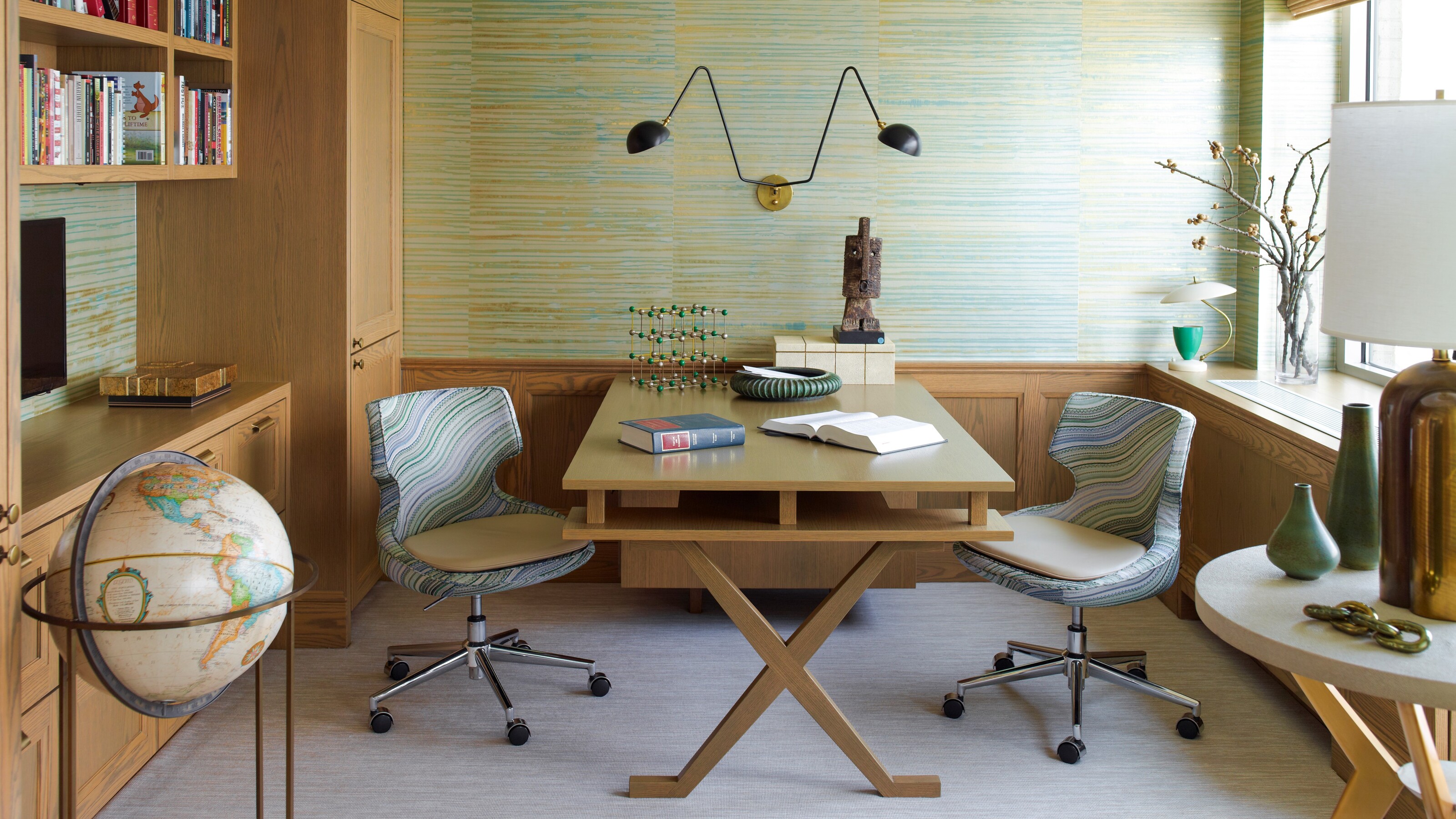
Credit: www.livingetc.com
Cable Management Tips
Managing cables in a home office with two desks keeps the space tidy and safe. Messy wires create clutter and distractions. Good cable management improves the workspace’s look and function. Use simple tools and ideas to organize cords efficiently. This helps both desks stay neat and easy to work at.
Using Cable Trays
Cable trays attach under desks to hold wires off the floor. They keep cords hidden and prevent tangles. Install trays under each desk for the best fit. Use trays with enough space for all cables. This method clears floor space and reduces tripping risks.
Cord Clips And Ties
Cord clips stick to desk edges to guide cables neatly. They keep cords from falling or mixing together. Use ties to bundle cables that run in the same direction. Velcro ties are easy to adjust and reuse. Clips and ties help separate power and data cords for safety.
Wireless Device Solutions
Wireless tools reduce the number of cables on the desks. Use wireless keyboards, mice, and printers to cut down wires. Charging stations with fewer cords also help. Wireless technology creates a cleaner, simpler workspace. This solution works well for a home office with two desks.
Ergonomic Considerations
Setting up two desks in a home office requires attention to ergonomics. Proper ergonomic setup reduces strain and increases comfort. It helps maintain focus and productivity during long work hours. Each element, from chair to monitor, plays a vital role in health and efficiency.
Chair Selection
Choose a chair with good lumbar support. The backrest should fit the natural curve of your spine. Adjustable height and armrests help customize the fit. A swivel chair allows easy movement between desks. Ensure the seat is cushioned for long sitting periods.
Monitor Placement
Place monitors at eye level to avoid neck strain. The top of the screen should align with your eyes. Keep the monitor about an arm’s length away. Position screens to reduce glare from windows or lights. Use monitor stands or adjustable arms for flexibility.
Desk Height Adjustments
Adjust desk height so your elbows form a 90-degree angle. Keep wrists straight while typing or using a mouse. Standing desks or adjustable desks offer more ergonomic options. Ensure enough legroom under the desk for comfort. Correct desk height prevents shoulder and wrist pain.
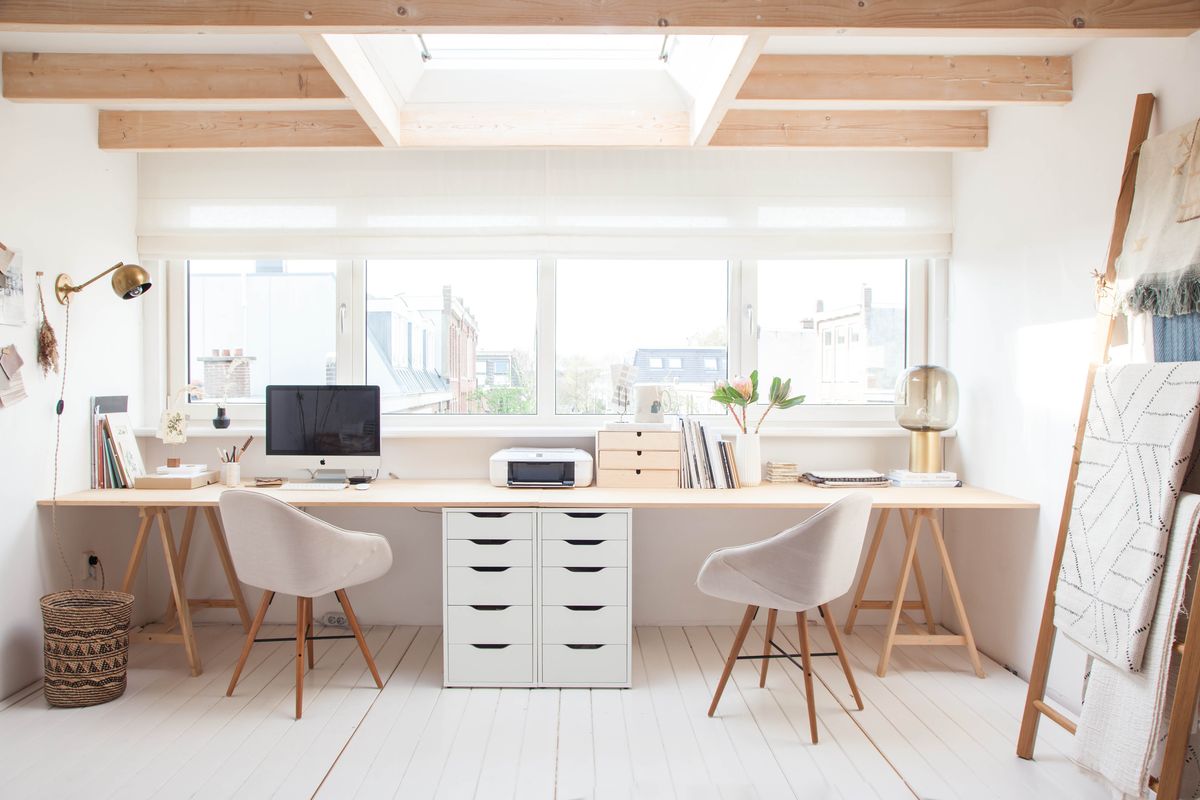
Credit: www.home-designing.com
Lighting And Ambiance
Lighting and ambiance play a vital role in a home office with two desks. Good lighting reduces eye strain and boosts focus. The right ambiance creates a comfortable and inviting workspace. Both factors help maintain productivity and mood throughout the day.
Natural Light Utilization
Place desks near windows to maximize natural light. Sunlight improves alertness and energy. Use light curtains to soften harsh rays. Avoid glare on computer screens by adjusting desk angles. Natural light also enhances room colors and makes the space feel open.
Task Lighting Options
Desk lamps provide focused light for detailed work. Choose adjustable lamps to direct light where needed. LED bulbs offer bright, energy-efficient illumination. Consider warm light tones to reduce eye fatigue. Position lamps to avoid shadows on work surfaces.
Decor And Personal Touches
Soft lighting like fairy lights or small lamps adds warmth. Use calming colors on walls and accessories to create a peaceful vibe. Add plants for fresh air and a touch of nature. Personal items like photos or artwork make the space inviting. A cozy ambiance supports creativity and well-being.
Creating Collaborative Zones
Creating collaborative zones in a home office with two desks boosts teamwork and productivity. Designing these zones helps both users share ideas and work smoothly. Thoughtful planning turns a simple room into a dynamic workspace.
Shared Workspaces
Shared workspaces let both users access common tools easily. Use a large table or a central shelf for supplies like printers, pens, and files. Keep this area tidy to avoid distractions. This space encourages joint tasks and quick sharing of resources.
Communication-friendly Layouts
Arrange desks so users face or sit near each other. This setup improves eye contact and quick chats. Avoid placing desks back-to-back or too far apart. A communication-friendly layout reduces the need to raise voices or get up often.
Seating Arrangements
Choose chairs that support long hours and move easily. Position seats to allow comfortable turns toward one another. Add a small couch or extra chairs nearby for informal talks. Flexible seating makes collaboration natural and relaxed.
Personalizing Each Desk
Personalizing each desk in a two-desk home office helps create a productive and comfortable space. It allows each person to express their style and work habits. Personal touches make the environment inviting and reduce distractions. Focus on three key areas to customize each desk: decor styles, organizational tools, and tech setup preferences.
Decor Styles
Choose decor that fits each person’s taste. One desk may have a minimalist look with clean lines and neutral colors. The other desk might feature bright colors and fun accessories. Use items like plants, artwork, or desk lamps to add personality. Matching styles can create harmony, but different looks show individuality.
Organizational Tools
Each desk needs tools to stay neat and tidy. Use trays, file holders, and drawer organizers suited to each user’s needs. One person may prefer vertical file racks, while the other likes desktop organizers. Labeling helps find things quickly. Keeping clutter low improves focus and work flow.
Tech Setup Preferences
Set up technology to match each user’s workflow. One desk might have dual monitors for multitasking. The other could use a laptop with a docking station. Choose keyboards, mice, and headphones that feel comfortable. Cable management keeps cords out of sight. Tailoring tech boosts efficiency and comfort.
Diy Desk Hacks
Setting up two desks in a home office can be challenging. Simple DIY desk hacks help make the process easier and more creative. These hacks save money and personalize your workspace. They improve comfort and productivity for both users.
Converting Existing Furniture
Use old tables or dressers as desks. Sand and paint them to match your style. Add a smooth surface for writing or using a computer. This saves money and reduces waste. Adjust the height with risers or new legs. It creates a unique and functional desk.
Adding Custom Storage
Build shelves or drawers under your desks. Use storage boxes or baskets for supplies. Label each container for easy access. Small hooks on the desk sides hold cables or headphones. Custom storage keeps the workspace tidy and organized. It helps focus by reducing clutter.
Space Dividers And Privacy
Install simple dividers between the desks. Use fabric panels, wood, or acrylic sheets. Dividers reduce noise and visual distractions. They create a personal zone for each person. Add plants or decorations to soften the barrier. This setup balances privacy with collaboration.
Frequently Asked Questions
How Do I Arrange Two Desks In A Home Office?
Place one desk against a wall and the other perpendicular or opposite. This layout maximizes space and allows easy communication between users. Ensure enough room for movement and storage to keep the area organized and functional.
What Are The Best Desks For A Dual Home Office?
Choose desks that fit your space and needs. Consider adjustable height desks for ergonomics or compact desks if space is tight. Matching desks create a cohesive look, while different styles can define individual work zones.
How Can I Maximize Storage With Two Desks?
Use vertical storage like shelves or wall-mounted cabinets above desks. Incorporate under-desk drawers or filing cabinets to keep essentials handy. This approach keeps the workspace clutter-free and efficient for two people.
How To Maintain Privacy Working At Two Desks Together?
Use desk dividers or plants to create visual separation. Position desks at angles or back-to-back to reduce distractions. Personalize each workspace to enhance comfort and focus while maintaining openness.
Conclusion
Setting up a home office with two desks can boost productivity and comfort. Arrange desks to fit your space and work style. Use storage wisely to keep the area tidy and organized. Choose chairs that support good posture for long hours.
Add personal touches to make the space inviting and motivating. Keep lighting bright but soft to reduce eye strain. With careful planning, your dual desk setup will support focused and collaborative work. Enjoy the balance of shared space and individual work zones.
Your home office can become a place where work feels easier and more enjoyable.