Are you looking to control your table lamps with just your voice or a tap on your Google Hub? Imagine turning your lights on or off without leaving your seat.
But how exactly do you connect your regular table lamps to your smart Google Hub? The answer lies in a simple device that makes this possible. Keep reading to discover what this device is and how it can transform your home lighting experience instantly.
You’ll wonder how you ever lived without it!
Credit: www.homedepot.com
Smart Devices For Table Lamps
Smart devices make table lamps easy to control with Google Hub. They add convenience and save energy. You can turn lamps on or off using voice commands. These devices connect your lamp to your smart home system.
Choose from several types of smart devices. Each works in a different way. Some replace bulbs, others control power. Find the best fit for your lamp and needs.
Smart Plugs
Smart plugs connect your table lamp to Wi-Fi. Plug your lamp into the smart plug. Then connect the plug to Google Hub. You can control the lamp remotely or by voice. No need to change your lamp’s bulb.
Smart Bulbs
Smart bulbs have built-in Wi-Fi or Bluetooth. Replace your regular bulb with a smart bulb. Control brightness, color, and power through Google Hub. They offer more features than simple on/off switches.
Smart Switches
Smart switches replace your lamp’s wall switch. Connect the switch to your home network. Use Google Hub to control the lamp’s power. This option keeps your lamp and bulbs unchanged.

Credit: community.smartthings.com
Connecting Table Lamps To Google Hub
Connecting table lamps to Google Hub lets you control lighting with your voice. It brings ease and modern comfort to your home. You can turn lamps on or off without touching a switch. Smart technology makes everyday tasks simpler and more fun.
Several devices help link table lamps to Google Hub. They connect your lamps to the internet and Google’s smart system. This section explains three common ways to do this.
Setting Up With Smart Plugs
Smart plugs are simple devices that fit into your wall outlet. Plug your table lamp into the smart plug. Connect the smart plug to your Wi-Fi network and Google Hub. Now, say commands to control your lamp’s power. No rewiring needed, just plug and play.
Using Smart Bulbs With Google Hub
Smart bulbs replace regular bulbs in your table lamps. These bulbs connect directly to Wi-Fi or a smart hub. Use Google Hub to change brightness, color, or turn lights on and off. This method offers more control and customization.
Integrating Smart Switches
Smart switches replace your existing wall switch. They connect to your home Wi-Fi and Google Hub. Control your table lamp from anywhere using your voice or phone. This option works well for lamps hardwired into the wall.
Compatibility And Requirements
Connecting table lamps to Google Hub requires certain devices and settings. Understanding compatibility and requirements helps ensure smooth setup and control. This section breaks down the main points to help you connect your lamp easily.
Supported Devices
Most smart table lamps must support Google Assistant to connect with Google Hub. Popular brands like Philips Hue, TP-Link Kasa, and LIFX work well. Some lamps need a separate smart plug or bridge device to link with Google Hub. Check your lamp’s packaging or manual for Google Assistant compatibility.
Wi-fi And Bluetooth Needs
A stable Wi-Fi network is essential. Your Google Hub and the smart lamp or bridge must connect to the same Wi-Fi network. Bluetooth may be used during initial setup but Wi-Fi handles most commands. Use a 2.4 GHz Wi-Fi band for better device compatibility and range.
Google Home App Setup
Download and open the Google Home app on your smartphone. Add your Google Hub and smart lamp in the app by following step-by-step instructions. Link the lamp’s brand account if needed. Assign lamps to rooms for easier voice commands with Google Hub.

Credit: global.microless.com
Benefits Of Connecting Lamps To Google Hub
Connecting your table lamps to a Google Hub brings many advantages. It makes controlling your lights easier and more fun. You gain more comfort and save time daily. The smart setup helps you create a cozy and efficient home.
With a simple voice command, you can change the lamp’s brightness or color. You can also set schedules to match your daily routine. This connection makes your home smarter without any hassle.
Voice Control Features
Google Hub lets you control lamps using voice commands. Say “turn on the lamp” and it will light up. You don’t need to get up or find a switch. It is perfect when your hands are full or dark.
You can adjust brightness or change colors by speaking. This feature adds ease and fun to your daily life.
Automation And Scheduling
Set your lamps to turn on or off at specific times. This helps you wake up with light or sleep better. Automation fits your lifestyle perfectly. You can program lights for different days and moods.
It reduces the need to remember switching lamps. Your home runs on your schedule without extra effort.
Energy Efficiency
Smart lamps save energy by turning off when not needed. You avoid wasting power by forgetting lights on. Google Hub helps monitor and control energy use easily.
This saves money on your electricity bill. It also helps protect the environment by reducing waste.
Troubleshooting Common Issues
Troubleshooting common issues helps keep your table lamps connected to Google Hub. It saves time and ensures smooth use. Problems may arise due to connection, device response, or app syncing. Knowing how to fix these helps you enjoy smart lighting without interruption.
Connection Problems
Check the Wi-Fi signal strength first. Weak signals cause connection drops. Restart your router and the lamp’s smart device. Make sure both devices connect to the same network. Avoid interference from other electronics nearby. Keep your devices within range for stable connection.
Device Not Responding
Power cycle the table lamp’s smart device. Unplug it, wait 10 seconds, then plug it back in. Confirm the device’s firmware is up to date. A reset might be needed for persistent issues. Use the manufacturer’s app to run a device status check.
App Sync Errors
Close and reopen the Google Home app. Clear the app cache if errors persist. Confirm your phone’s operating system is current. Re-link the smart device in the app if syncing fails. Ensure the Google Hub has the latest software update installed.
Top Device Recommendations
Connecting your table lamps to a Google Hub makes controlling lights simple and smart. Choosing the right device helps you manage your lamps by voice or app. Here are top device options for easy and effective smart lighting control.
Best Smart Plugs
Smart plugs let you control lamps without changing bulbs or wiring. They fit into any outlet and work with Google Hub. The TP-Link Kasa Smart Plug is reliable and easy to set up. It supports voice commands and schedules. Another good choice is the Wemo Mini Smart Plug. It is compact and works well with Google Assistant. These plugs are perfect for any table lamp.
Best Smart Bulbs
Smart bulbs replace your regular bulbs and connect directly to Google Hub. The Philips Hue White and Color Ambiance bulbs offer bright colors and dimming options. They use Zigbee and need a hub or Bluetooth to connect. The TP-Link Kasa Smart Bulb is a Wi-Fi bulb that works without extra devices. Both types give control over brightness and color by voice or app.
Best Smart Switches
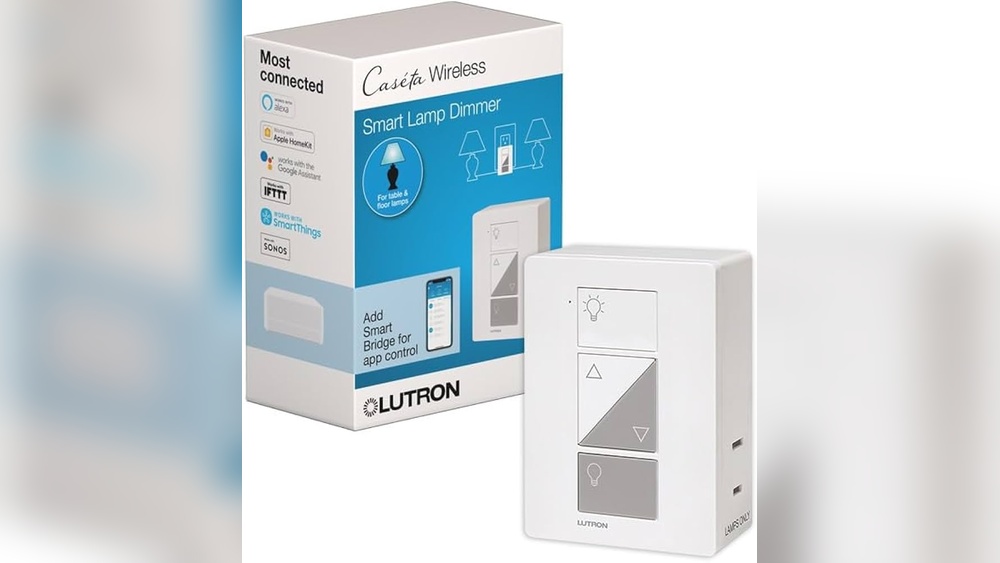
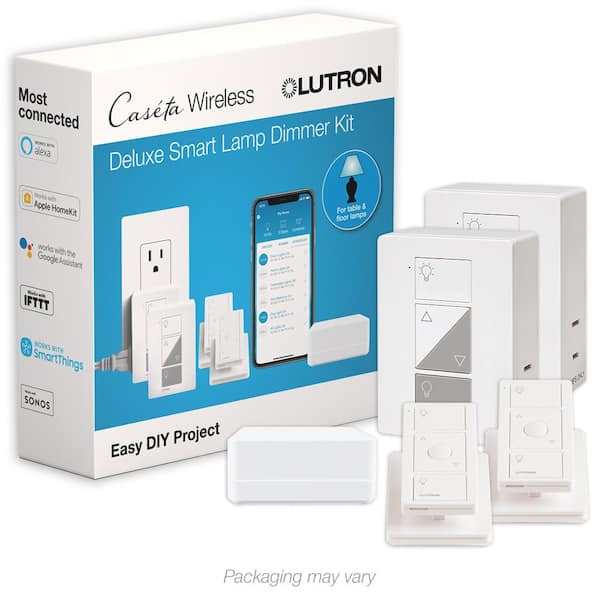
Smart switches replace your wall switches and control lamps from anywhere. The Lutron Caseta Wireless Smart Lighting Dimmer Switch is popular for its reliability and easy integration. It works smoothly with Google Hub. The Leviton Decora Smart Switch is another great option with simple installation. These switches let you control multiple lamps on the same circuit.
Frequently Asked Questions
What Device Connects Table Lamps To Google Hub?
A smart plug connects table lamps to Google Hub. It allows voice control and automation through Google Assistant.
How Does Google Hub Control Table Lamps?
Google Hub controls table lamps via smart plugs or smart bulbs. These devices communicate over Wi-Fi for seamless control.
Can Any Smart Plug Work With Google Hub?
Most smart plugs compatible with Google Assistant work with Google Hub. Ensure the device supports Google Home integration before purchase.
Is Setup Of Smart Plugs With Google Hub Difficult?
Setup is simple using the Google Home app. Plug in the device, connect to Wi-Fi, and link it to Google Hub.
Conclusion
A smart plug or a smart bulb connects table lamps to Google Hub. These devices work with Google Assistant to control your lamp by voice. You can turn lamps on or off without moving. Setting schedules helps save energy and adds comfort.
Smart devices make your home feel modern and easy to use. Try choosing the right device to fit your needs. Simple steps bring more convenience to your daily routine. This connection lets you enjoy smart lighting with little effort.