As an Amazon Associate, we earn from qualifying purchases.
A good alarm clock should do more than wake you up. It should be easy to read, simple to use, not too bright at night, and useful throughout the day. But in modern homes, people often want more than a basic clock. They want music, weather updates, reminders, smart home control, voice assistance, and a device that looks good on a nightstand, office desk, or kitchen counter.
That is where the Amazon Echo Spot comes in.
The newest Amazon Echo Spot is designed as a smart alarm clock with Alexa built in. It combines a small touchscreen display, a compact speaker, customizable clock faces, alarms, timers, music playback, smart home control, privacy features, and eero Built-in support for compatible networks. It is made for nightstands, offices, kitchens, bedrooms, and small spaces where a full-size smart display may feel too large.
But is the Echo Spot actually worth buying? Is it better than an Echo Dot? Is it useful as a bedside clock? Does the small screen feel limited? And who should avoid it?
In this detailed Amazon Echo Spot review, we will cover its design, display, sound quality, Alexa features, smart home controls, privacy, setup process, pros and cons, customer feedback, alternatives, and whether it is worth buying.
Quick Verdict
The Amazon Echo Spot is a strong choice if you want a compact smart alarm clock with Alexa, a clear display, customizable clock faces, and better functionality than a basic bedside alarm clock. It is especially good for bedrooms, nightstands, home offices, and kitchens where you want quick access to time, alarms, weather, reminders, music, and smart home controls.
Its biggest strengths are its modern design, easy-to-read clock display, Alexa voice control, customizable screen, good sound for its size, and privacy features like the microphone off button. It also has eero Built-in, which can extend compatible eero Wi-Fi networks.
However, the Echo Spot is not a full smart display like an Echo Show. It does not have a camera, and it does not support video-streaming features such as video calling, video feeds from smart cameras or doorbells, Netflix, Prime Video, or YouTube. The screen is useful for time, weather, reminders, music information, and simple touch controls, but it is not made for watching videos.
Overall, the Echo Spot is worth considering if you want a smart alarm clock first and a compact Alexa device second. If you want a video screen, camera calls, or a larger display, you should look at an Echo Show instead.
Product Overview
| Feature | Details |
|---|---|
| Product Name | Amazon Echo Spot |
| Release | 2024 release |
| Device Type | Smart alarm clock with Alexa |
| Best For | Nightstands, offices, kitchens, bedrooms, small spaces |
| Display | 2.83-inch touchscreen |
| Resolution | 240 x 320 px |
| Camera | No camera |
| Speaker | 1.73-inch front-firing speaker |
| Voice Assistant | Alexa |
| Smart Home Control | Compatible smart home devices |
| Wi-Fi | Dual-band Wi-Fi, 2.4 GHz and 5 GHz |
| Bluetooth | Audio streaming support |
| eero Built-in | Yes, with compatible eero network |
| Privacy Controls | Mic off button, in-app controls, voice recording controls |
| Dimensions | 4.5″W x 4.1″D x 4.4″H |
| Weight | 14.3 oz |
| Colors | Black, Glacier White, Ocean Blue |
| Customer Rating | 4.5 out of 5 stars |
| Review Count | 43,000+ ratings |
View Amazon Echo Spot on Amazon
What Is the Amazon Echo Spot?
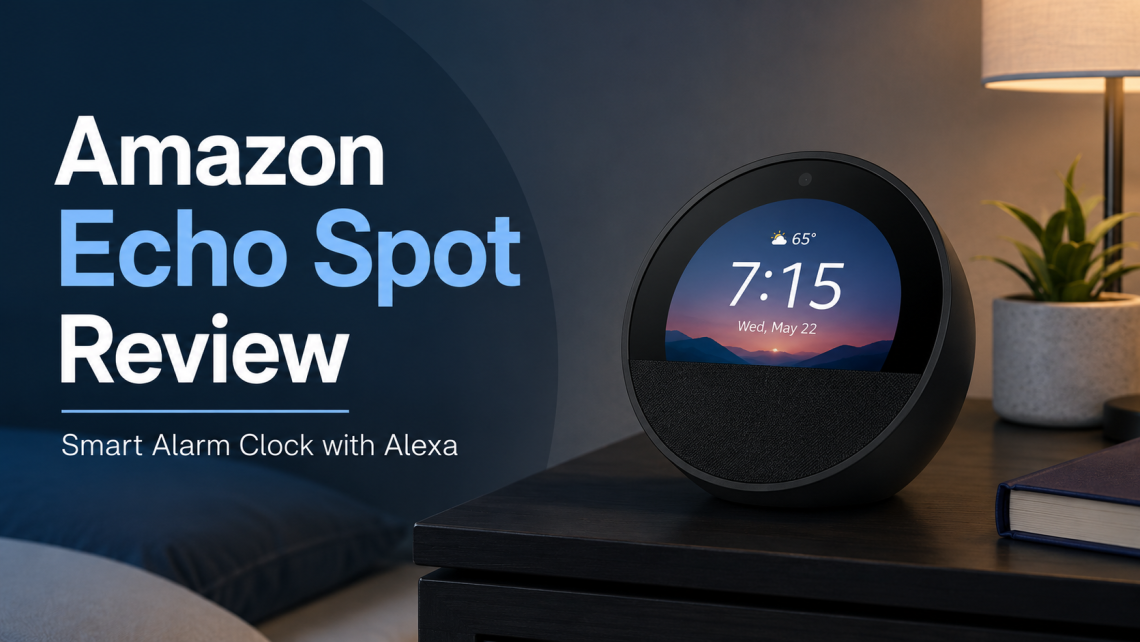
The Amazon Echo Spot is a compact Alexa-powered smart alarm clock. It looks like a small bedside smart speaker with a built-in screen. The display shows the time, weather, alarms, reminders, song titles, and simple smart home controls.
Unlike a regular alarm clock, Echo Spot can respond to voice commands. You can ask Alexa to set alarms, play music, check the weather, start routines, control smart lights, adjust compatible thermostats, make announcements, and more.
Unlike an Echo Show, the Echo Spot is not designed for video. It does not have a camera, and it does not support features that require video streaming. This makes it more focused, simpler, and more privacy-friendly for people who want a bedside device without a camera.
Think of it as a smart clock with Alexa and a speaker, not as a mini TV.
Who Is the Echo Spot Best For?
The Echo Spot is best for people who want a small smart device that fits into daily routines without taking up much space.
It is a good fit for:
- People who want a smart alarm clock
- Bedroom and nightstand users
- Home office users
- Kitchen timer users
- Alexa smart home users
- People who want music in a small room
- People who want a display but not a camera
- People who dislike large smart displays beside the bed
- People who want customizable clock faces
- eero users who want extra Wi-Fi coverage support
If you already use Alexa, the Echo Spot can fit naturally into your home. If you do not use Alexa, it can still work as a smart alarm clock, but you will get the most value if you use Amazon services, Alexa routines, smart home devices, or music services.
Design and Build Quality
The Echo Spot has a compact, rounded design. It is small enough to sit on a nightstand, desk, shelf, kitchen counter, or side table. It does not look like a bulky speaker or a large display. That makes it easier to place in rooms where you want a clean setup.
The front has a display area and a speaker section. The overall design feels more like a modern alarm clock than a traditional Echo speaker.
The size is one of its advantages. It does not dominate a room. It looks clean beside a bed and does not take up much space on a desk.
The available colors also help it match different room styles. Black looks simple and modern. Glacier White fits lighter spaces. Ocean Blue gives a softer, more playful look.
Display Review
The Echo Spot has a 2.83-inch touchscreen with a 240 x 320 pixel resolution. This is not a large screen, but it is enough for what the device is made to do.
The display can show:
- Time
- Weather
- Alarms
- Timers
- Reminders
- Song titles
- Music controls
- Smart home controls
- Clock faces
- Display colors
The screen is most useful as a glanceable display. You do not need to pick up your phone just to check the time or weather. You can simply look at the device.
This makes it very useful for nightstands. If you wake up and want to see the time, the Echo Spot gives you a clear clock view. You can also customize the clock face and colors to match your style.
However, the display is not meant for video watching. It is too small for that, and the device does not support video-stream features anyway.
Customization Options
One of the nice things about the Echo Spot is that you can personalize the clock face and display color. This makes the device feel less generic than a basic digital clock.
You can choose a clock style that fits your room or personal preference. You can also adjust brightness settings, which matters a lot for bedside use.
A clock that is too bright can disturb sleep. A clock that is too dim can be hard to read. Echo Spot gives you more control than a basic alarm clock.
This is one reason many people may prefer it over an older digital alarm clock.
Sound Quality
For a small device, Echo Spot offers good sound. It uses a 1.73-inch front-firing speaker. Amazon describes the sound as big and vibrant, with clear vocals and deep bass.
Of course, this is not a large premium speaker. It will not replace a full home audio system or a large smart speaker like Echo Studio. But for a bedroom, desk, kitchen counter, or small room, it can be very useful.
You can use it for:
- Morning music
- Podcasts
- Audiobooks
- Alarm sounds
- Background music
- Weather updates
- News briefings
- Voice responses from Alexa
The front-firing speaker helps direct sound toward you. That is useful when the device is on a nightstand or desk.
If you want wider sound, you can also pair two Echo Spot devices for stereo playback, according to the product information. That can make sense for a bedroom or office setup.
Alexa Features
Alexa is the main reason the Echo Spot is more than a clock. With Alexa, you can control the device by voice.
You can ask Alexa to:
- Set alarms
- Set timers
- Check weather
- Play music
- Play podcasts
- Play audiobooks
- Set reminders
- Control smart lights
- Adjust compatible thermostats
- Start routines
- Make announcements
- Make voice calls
- Drop in on compatible Echo devices
- Answer general questions
This makes Echo Spot useful in different rooms.
In a bedroom, you can say, “Alexa, wake me up at 7 AM.”
In a kitchen, you can say, “Alexa, set a 10-minute timer.”
In an office, you can say, “Alexa, remind me about my meeting.”
In a smart home, you can say, “Alexa, turn off the lights.”
This hands-free control is one of the biggest reasons people buy Echo devices.
Alarm Clock Performance
Echo Spot is especially useful as an alarm clock. It is designed for waking up, winding down, and helping with morning routines.
You can set alarms by voice or through the Alexa app. You can also use music alarms if supported by your music service.
A smart alarm clock is better than a basic alarm clock because it can do more than beep. You can create morning routines that gradually wake you with music, light, weather updates, or reminders.
For example, a morning routine could:
- Turn on compatible smart lights
- Play soft music
- Show weather
- Read reminders
- Start a news briefing
This makes the Echo Spot more flexible than a traditional alarm clock.
The tap-to-snooze feature can also be useful, though some users may prefer voice commands for snoozing.
Nightstand Use
The Echo Spot feels made for nightstands. It is small, easy to see, and useful before sleep and after waking up.
At night, you can use it to:
- Set an alarm
- Play relaxing music
- Check tomorrow’s weather
- Set a sleep timer
- Control bedroom lights
- Lower compatible smart thermostat
- Turn off smart plugs
- Start an evening routine
In the morning, you can use it to:
- Wake up with an alarm
- Check time
- Ask for weather
- Hear reminders
- Play music
- Start a morning routine
- Turn on lights
Because it does not have a camera, it may feel more comfortable beside a bed than a smart display with video features.
Smart Home Control
Echo Spot can control compatible smart home devices. If you have smart lights, plugs, locks, fans, thermostats, or blinds that work with Alexa, you can control them by voice.
Examples:
- “Alexa, turn off the bedroom lights.”
- “Alexa, dim the lamp.”
- “Alexa, set the thermostat to 72.”
- “Alexa, turn on the fan.”
- “Alexa, start my morning routine.”
You can also use touch controls on the display for some smart home actions.
Routines make this even more powerful. You can create a routine that does several actions at once. For example:
- At 10 PM, turn off lights, lower thermostat, and play sleep sounds.
- At 7 AM, turn on lights, play music, and tell you the weather.
- When motion is detected, turn on a lamp or start a routine.
Smart home control is one of the areas where Echo Spot becomes more valuable over time. The more compatible devices you have, the more useful it becomes.
eero Built-In Wi-Fi Extender Feature
One notable feature is eero Built-in. With a compatible eero network, Echo Spot can work as a mesh Wi-Fi extender and add up to 1,000 square feet of Wi-Fi coverage.
This is a useful bonus if you already use eero. It can help reduce weak spots in your home Wi-Fi network.
However, there are important limits. The feature requires a compatible eero router and setup through the eero system. Performance can vary, and it is not the same as buying a dedicated high-performance mesh node.
If you do not use eero, this feature will not matter much.
If you do use eero, it adds extra value.
Privacy Features
Privacy is important for any smart speaker. Echo Spot includes multiple privacy controls, including a microphone off button and in-app controls. Amazon also provides ways to view and delete voice recordings.
The device has no camera, which is a major privacy advantage for bedrooms and private spaces.
The microphone off button is especially useful. If you do not want Alexa listening for the wake word, you can turn off the microphone physically.
Privacy features include:
- Microphone off button
- Wake-word technology
- Streaming indicators
- Voice recording controls
- Ability to delete voice recordings
- In-app privacy settings
If privacy is a concern, the Echo Spot may feel more comfortable than a smart display with a camera.
What Echo Spot Cannot Do
This is very important: Echo Spot is not an Echo Show replacement.
The 2024 Echo Spot does not support features that require video streaming. That means it does not support:
- Video calling
- Video feeds from smart cameras
- Video feeds from doorbells
- Netflix
- Prime Video
- YouTube
It also has no camera.
So, if you want to watch videos, see your Ring doorbell feed, use video calling, or stream shows, this is not the right device.
Echo Spot is best when you see it as a smart clock, speaker, and Alexa assistant.
Setup Process
Setup is designed to be simple.
The basic steps are:
- Plug Echo Spot into a power outlet.
- Open the Alexa app.
- Follow the setup instructions.
- Connect to Wi-Fi.
- Customize settings, clock face, alarms, and routines.
If you already use Alexa devices, setup may be even easier because your Amazon account and preferences may already be connected.
For first-time users, you need the Alexa app on a compatible phone or access through a browser.
Daily Use Experience
In daily life, Echo Spot works best when it becomes part of your routine.
For example, in the bedroom:
- Check time during the night
- Use alarms in the morning
- Play music while getting ready
- Ask for weather before leaving
- Control bedroom lights
In the office:
- Set work timers
- Check reminders
- Play focus music
- Ask quick questions
- Control smart plugs or lights
In the kitchen:
- Set cooking timers
- Play podcasts
- Ask for measurement conversions
- Control smart lights
- Check weather or reminders
Because it is small, you can place it almost anywhere.
Pros and Cons
Pros
Compact and modern design
The Echo Spot looks clean and fits easily on nightstands, desks, and counters.
Great as a smart alarm clock
It shows the time clearly and supports alarms, reminders, timers, and routines.
Customizable display
You can personalize clock faces and display colors.
Good sound for its size
The front-firing speaker is useful for music, podcasts, audiobooks, and alarms.
Alexa built in
Voice control makes it easy to set alarms, control smart devices, and ask questions.
No camera
This is a privacy advantage for bedrooms and personal spaces.
Mic off button
Physical microphone control gives extra peace of mind.
Smart home control
Works with compatible smart home devices like lights, plugs, thermostats, locks, and fans.
eero Built-in
Useful bonus for people with compatible eero Wi-Fi networks.
Good for small spaces
It does not take up much room.
Cons
No video streaming
It does not support Netflix, Prime Video, YouTube, or video feeds.
No camera
Good for privacy, but not for video calling.
Small screen
The display is useful for glancing, but not for detailed viewing.
Alexa+ may require Prime or subscription
Some advanced Alexa+ features may require a Prime membership or paid plan.
Best value depends on Alexa ecosystem
If you do not use Alexa or smart home devices, you may not get full value.
eero feature only matters for eero users
Without a compatible eero network, this feature is not useful.
Who Should Buy Amazon Echo Spot?
You should consider buying Echo Spot if:
- You want a smart alarm clock
- You want Alexa on your nightstand
- You want a clock with music and weather
- You want a small smart speaker with a display
- You use smart lights or smart plugs
- You want a bedroom device without a camera
- You like customizable clock faces
- You want voice-controlled alarms and timers
- You already use Amazon Echo devices
- You have an eero network and want extra coverage
For these users, Echo Spot can be a very useful device.
Who Should Avoid Amazon Echo Spot?
You may want to avoid Echo Spot if:
- You want to watch videos
- You need video calls
- You want to see smart camera feeds
- You want a large touchscreen
- You need a camera
- You do not use Alexa
- You want the strongest speaker possible
- You dislike subscription-dependent smart features
- You need a full smart display
If your main goal is video, buy an Echo Show instead. If your main goal is music quality, consider a larger Echo speaker.
Amazon Echo Spot vs Echo Dot
The Echo Dot is a smart speaker. The Echo Spot is a smart clock with a display.
Choose Echo Spot if you want:
- A visible clock
- Touchscreen display
- Alarm clock design
- Weather at a glance
- Bedside use
- Clock face customization
Choose Echo Dot if you want:
- A lower-cost Alexa speaker
- No screen
- Simple voice control
- Compact speaker for any room
The Echo Spot is better for nightstands. The Echo Dot is better if you only need sound and Alexa.
Amazon Echo Spot vs Echo Show
Echo Show devices have larger screens and support video features. Echo Spot is smaller and more clock-focused.
Choose Echo Spot if:
- You want a bedside alarm clock
- You do not want a camera
- You do not need video
- You want a compact display
- You want simple glanceable info
Choose Echo Show if:
- You want video calls
- You want smart camera feeds
- You want YouTube or video streaming
- You want recipes on a bigger screen
- You want a full smart display
For bedrooms, many people may prefer Echo Spot because it is simpler and camera-free.
Amazon Echo Spot vs Traditional Alarm Clock
A traditional alarm clock is cheaper and simpler. It shows time and wakes you up.
Echo Spot does much more:
- Voice alarms
- Music alarms
- Weather
- Reminders
- Smart home control
- Timers
- Podcasts
- Audiobooks
- Routines
- Custom display
- Alexa assistant
If you only need a basic clock, a traditional alarm clock is enough. But if you want a smart device that can help throughout the day, Echo Spot offers much more value.
Best Ways to Use Echo Spot
1. Morning Routine
Create a routine that turns on lights, plays music, and tells you the weather.
2. Bedtime Routine
Use a routine to dim lights, play relaxing sounds, and set an alarm.
3. Kitchen Timer
Place it in the kitchen and use voice timers while cooking.
4. Office Assistant
Use it for reminders, focus music, and calendar alerts.
5. Smart Home Control
Connect compatible lights, plugs, or thermostats and control them by voice.
6. Music and Podcasts
Use it for background audio in small rooms.
7. Weather and Reminders
Glance at weather and reminders without checking your phone.
[Affiliate Link: Check Latest Price on Amazon]
Customer Feedback Summary
Customer feedback is generally positive. Many customers like the sound quality, modern appearance, compact size, and easy setup. People also appreciate the clear display and bedside-friendly design.
Common positive feedback includes:
- Good sound for the size
- Easy to set up
- Looks modern and clean
- Great for nightstands
- Display is clear and useful
- Alexa works well for many users
- Good alarm clock replacement
- Nice clock customization
- Compact size
Common complaints include:
- Screen may feel small for some users
- Some users report connectivity issues
- Some users say Alexa does not always respond properly
- No video features
- Not ideal as a full smart display
- Wi-Fi connection experience can vary
Overall, the Echo Spot seems best for people who want a focused smart clock, not a full entertainment screen.
Important Buying Notes
It Does Not Have a Camera
This is good for privacy, but bad if you want video calls.
It Does Not Support Video Streaming
Do not buy this for Netflix, Prime Video, YouTube, or camera feeds.
Alexa+ May Need Prime or a Paid Plan
Some Alexa+ features may require Prime or a subscription depending on account and plan.
eero Built-In Needs Compatible eero Network
The Wi-Fi extender feature only helps if you already use compatible eero hardware.
The Screen Is Small
It is good for time, weather, and reminders, not for long reading or video.
It Works Best in the Alexa Ecosystem
If you already use Alexa, Echo Spot becomes much more useful.
Is Amazon Echo Spot Good for Bedrooms?
Yes, this is one of its best uses. It is compact, easy to read, and does not have a camera. You can use it for alarms, music, sleep sounds, reminders, weather, and smart light control.
For a nightstand, it is more useful than an Echo Dot because it shows the time. It is less intrusive than an Echo Show because it does not have video features or a camera.
Is Amazon Echo Spot Good for Offices?
Yes. In an office, Echo Spot can work as a desk clock, timer, reminder tool, and compact music speaker. It can also control smart plugs or lights if your office setup uses Alexa-compatible devices.
It is useful for productivity routines like focus sessions, break timers, and meeting reminders.
Is Amazon Echo Spot Good for Kitchens?
Yes, but with limits. It is great for timers, weather, music, shopping reminders, and quick Alexa questions.
However, if you want recipe videos or a large recipe display, an Echo Show is better.
Is the Sound Good Enough?
For bedrooms, offices, and kitchens, yes. The sound is good for casual listening. It is not a premium speaker, but it is strong enough for music, podcasts, and audiobooks in small spaces.
If you want deep room-filling sound for a large living room, choose a larger Echo device.
Is It Worth the Price?
Echo Spot is worth the price if you want a smart alarm clock with Alexa and a display. It gives more value than a basic alarm clock because it adds voice control, music, smart home features, routines, reminders, and weather.
It may not be worth it if you only need a basic clock or if you want video features. In that case, either buy a cheaper clock or choose an Echo Show.
For most Alexa users, Echo Spot is a practical and attractive device for bedrooms and small spaces.
FAQ
Is Amazon Echo Spot a smart alarm clock?
Yes. Echo Spot is designed as a smart alarm clock with Alexa, a touchscreen display, alarms, timers, music, weather, reminders, and smart home control.
Does Amazon Echo Spot have a camera?
No. The Echo Spot 2024 release does not have a camera.
Can Echo Spot play YouTube or Netflix?
No. Echo Spot does not support video-stream features such as YouTube, Netflix, Prime Video, or video feeds.
Can Echo Spot show security camera feeds?
No. It does not support video feeds from smart home cameras or doorbells.
Can Echo Spot make calls?
It supports voice-based calling between Alexa devices, announcements, Drop-In, and voice calls. It does not support video calling.
Is the Echo Spot screen customizable?
Yes. You can personalize the clock face and display colors.
Can Echo Spot control smart lights?
Yes. It can control compatible smart home devices through Alexa.
Does Echo Spot work as a Wi-Fi extender?
Yes, with eero Built-in, but only with compatible eero networks.
Is Echo Spot good for a nightstand?
Yes. It is one of the best use cases because it works as a clock, alarm, speaker, and Alexa assistant without a camera.
Does Echo Spot have a microphone off button?
Yes. It includes a mic off button as part of its privacy controls.
Is Echo Spot better than Echo Dot?
For a bedside clock, yes, because it has a display. For simple Alexa speaker use, Echo Dot may be enough.
Is Echo Spot better than Echo Show?
It depends. Echo Spot is better for a compact smart clock without a camera. Echo Show is better for video calls, camera feeds, and larger screen use.
Buy Amazon Echo Spot on Amazon
Final Verdict: Should You Buy Amazon Echo Spot?
The Amazon Echo Spot is a well-designed smart alarm clock for people who want a compact Alexa device with a useful display. It is not trying to be a full smart display or entertainment screen. Instead, it focuses on the things people actually need beside a bed, on a desk, or in a kitchen: time, alarms, timers, weather, reminders, music, and smart home control.
Its biggest strengths are the modern design, customizable display, Alexa voice control, good sound for the size, no-camera privacy, and smart home features. It is especially useful for bedrooms because it replaces a traditional alarm clock while adding voice control and routines.
The main limitation is video. If you want YouTube, Netflix, Prime Video, video calling, or camera feeds, this is not the device for you. The screen is also small, so it is best for quick information, not deep interaction.
For Alexa users, the Echo Spot is a smart and practical upgrade over a basic alarm clock. It looks good, sounds good for its size, and makes daily routines easier.
If you want a clean, compact, camera-free smart clock for your bedroom, office, or kitchen, Amazon Echo Spot is worth buying.
Product Rating
| Category | Rating |
|---|---|
| Design | 4.7/5 |
| Display | 4.4/5 |
| Alarm Clock Use | 4.8/5 |
| Sound Quality | 4.4/5 |
| Alexa Features | 4.6/5 |
| Smart Home Control | 4.5/5 |
| Privacy | 4.7/5 |
| Video Features | 1.5/5 |
| Value for Alexa Users | 4.5/5 |
| Overall Rating | 4.5/5 |
Best For
Amazon Echo Spot is best for people who want a compact smart alarm clock with Alexa, music, reminders, smart home control, and a customizable display.
Not Best For
It is not best for people who want video calling, YouTube, Netflix, Prime Video, smart camera feeds, or a large touchscreen.
Where to Buy
You can buy Amazon Echo Spot on Amazon. Since price, color availability, discounts, and bundles can change, check the latest product page before ordering.

