Finding the perfect spot for your desk in a home office might seem simple, but the way you position it can make a huge difference in your focus, comfort, and productivity. Imagine sitting at your desk feeling in control of your space, energized by natural light, and free from annoying screen glare or distractions.
Sounds ideal, right? This guide will show you exactly how to place your desk so you get the most out of your workday. Whether your room is big or small, whether you’re easily distracted or thrive with a view, you’ll learn practical tips to set up your desk in the best way possible.
Keep reading to transform your home office into a space where work feels easier and more enjoyable.

Credit: oakywood.shop
Best Desk Positions
Choosing the best desk position in a home office can boost focus and comfort. The right spot helps control distractions and enhances productivity. Consider natural light, room layout, and your work habits. Here are two effective desk positions that work well in many home offices.
Back To A Solid Wall
Placing your desk with your back to a solid wall creates a strong, secure feeling. It keeps your view open to the room and the door. This position helps you stay aware of your surroundings. It reduces surprises and increases focus. Also, it prevents glare on your computer screen. This setup suits people who like to face their workspace calmly.
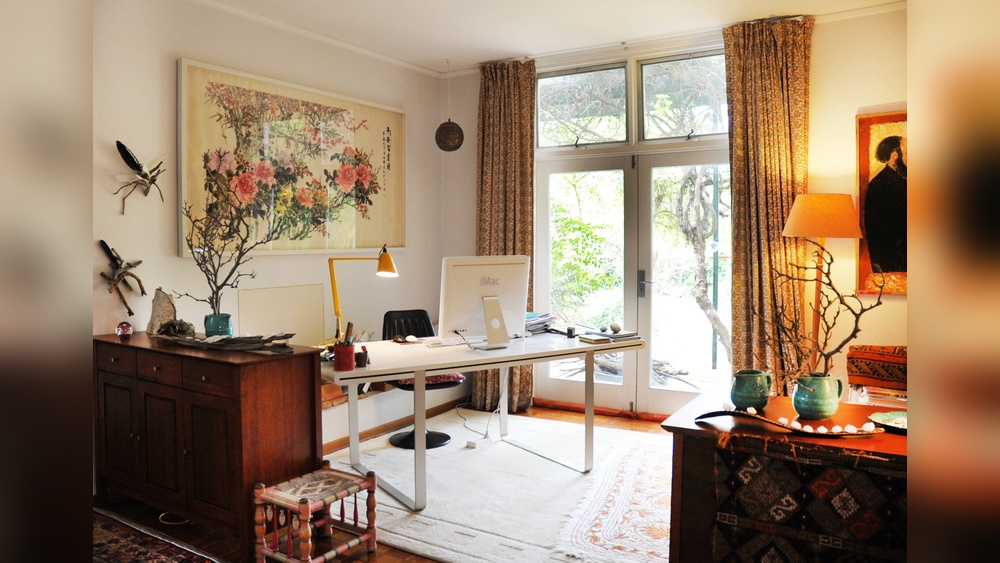
Perpendicular To A Window
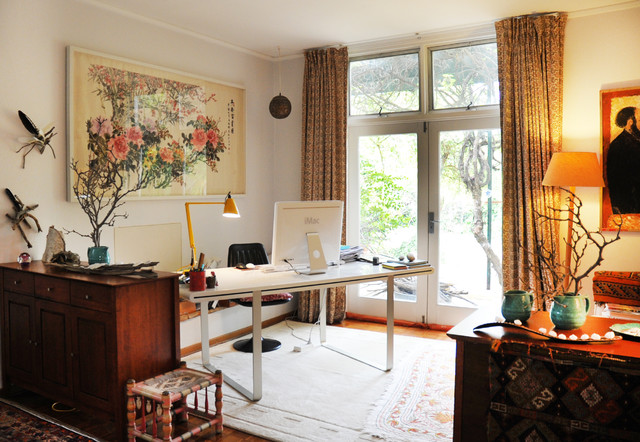
Setting your desk perpendicular to a window brings in natural light without direct glare. The window sits to your side, not in front or behind. This position brightens your workspace and lifts your mood. It avoids distractions from outside views. It works great if you want fresh air and daylight but need to keep attention on work. Adjust blinds to control light levels as needed.
Credit: www.houzz.com.au
Desk Placements To Avoid
Choosing the right desk placement is key for a productive home office. Some spots can cause problems like glare, distractions, or discomfort. Avoid these common desk placements to keep focus and comfort high.
Back To The Window
Placing your desk with your back to the window creates screen glare. Bright light behind you makes it hard to see your monitor. It also causes eye strain and headaches. You may get distracted by the outdoor view. This setup reduces your work efficiency.
Directly Facing The Door
Sitting directly facing the door can be distracting. People entering or passing by grab your attention easily. It feels like you are always on alert. This position can increase stress and reduce concentration. Choose a spot where you see the door but are not directly in front of it.
In Front Of The Door
Putting your desk directly in front of the door can be uncomfortable. Your chair may get bumped when someone opens the door. It may cause a feeling of vulnerability or disturbance. This placement interrupts your workflow and focus. Try to keep the desk away from the door’s direct path.
Facing A Blank Wall
Facing a blank wall can feel isolating and dull. It limits your view and reduces natural light. This can lower creativity and motivation. You may feel stuck or uninspired during work. Add artwork or plants if this is your only option to brighten the space.
Room Layout Tips
Arranging your desk in a home office affects comfort and focus. Smart room layout helps use space well and boosts productivity. Adjusting your desk position to fit the room size and shape creates a balanced workspace. Below are simple tips for different room setups.
Small Room Solutions
In small rooms, save space by placing your desk against a wall. This frees up floor area and keeps the room open. Choose a slim desk or one with built-in storage to reduce clutter. Keep walking paths clear to avoid feeling cramped. Use vertical shelves above the desk for supplies and documents. Position the desk near a window to use natural light and avoid extra lamps. This setup helps maintain a bright and airy feel even in tight spaces.
Corner Desk Benefits
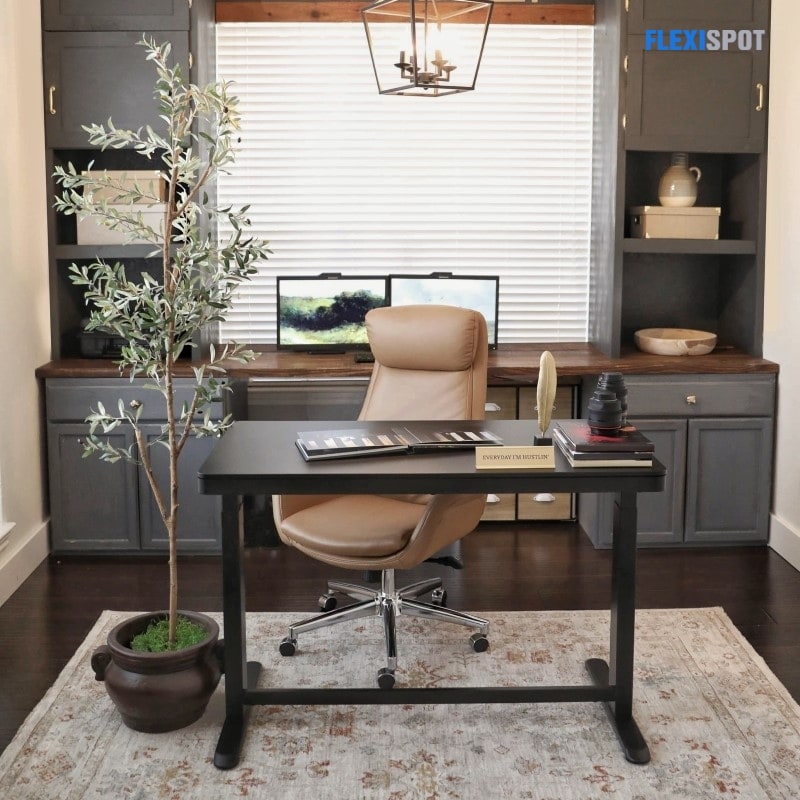
Corner desks fit snugly into room corners, maximizing unused space. They offer more surface area without blocking walkways. This shape creates a cozy work nook that limits distractions. You can face the room’s door while still having walls on two sides for support. Corners also provide a natural place for wires and cables to stay hidden. This arrangement often boosts focus and comfort, especially in multi-purpose rooms.
Credit: www.flexispot.com
Ergonomics And Comfort
Ergonomics and comfort are key factors in positioning a desk in your home office. A well-placed desk supports good posture and reduces strain. This creates a healthier and more productive workspace. Paying attention to space and accessibility improves how you work every day.
Space To Move
Allow enough room around your desk for easy movement. You should be able to stand, stretch, and walk without bumping into furniture. Avoid cramped spaces that limit your motion. Proper space helps reduce muscle stiffness and improves circulation. It also makes your office feel less cluttered and more inviting.
Desk Accessibility
Place your desk so everything you need is within reach. Keep frequently used items close to avoid stretching or twisting. This saves time and prevents discomfort. Make sure your chair and desk height fit your body well. Adjust your setup to keep wrists, neck, and back in neutral positions. Accessibility reduces fatigue and keeps you focused longer.
Lighting Considerations
Lighting plays a key role in setting up your home office desk. Good lighting reduces eye strain and boosts focus. Positioning your desk with lighting in mind creates a comfortable workspace. Both natural and artificial lights have unique benefits for your office.
Natural Light Benefits
Natural light helps improve mood and energy levels. Place your desk near a window but not directly facing it. This avoids glare on your computer screen. Side lighting from windows is ideal to brighten your workspace. Sunlight also helps regulate your body’s natural clock. It reduces the need for artificial light during daytime. Fresh air from an open window can add to your comfort. Avoid placing your desk with your back to a window. This setup can cause shadows and reflections on your screen.
Artificial Lighting Options
Artificial lighting is important for cloudy days and evenings. Use a desk lamp with adjustable brightness and direction. This allows you to focus light where needed most. Choose bulbs that mimic natural daylight to reduce eye strain. Overhead lights should provide even illumination without harsh shadows. Avoid fluorescent lights that flicker or buzz. Consider warm white LEDs for a cozy atmosphere. Position lamps to avoid glare on your screen. Use task lighting for detailed work to increase precision.
Maximizing Productivity
Maximizing productivity in a home office starts with smart desk placement. The right position helps you stay focused and work efficiently. It reduces interruptions and creates a comfortable environment. Your desk location can boost energy and keep distractions low. Setting up your workspace with these ideas can improve your daily output and mood.
Minimizing Distractions
Place your desk where noise and movement are low. Avoid spots near busy hallways or doors. Facing the door lets you see who enters without turning around. This reduces surprise and helps you stay calm. Position the desk so the window is to your side. This brings natural light but keeps your eyes off outside distractions. Keep clutter away from your line of sight. A tidy desk helps your mind focus on tasks.
Creating An Inspiring Space
Choose a spot with good lighting to brighten your mood. Natural light can increase energy and alertness. Add personal touches like plants or artwork nearby. These small details make the space welcoming and motivating. Keep your desk against a solid wall for a sense of security. Avoid facing blank walls that feel dull or isolating. A well-arranged space encourages creativity and positive thinking.
Frequently Asked Questions
Where Is The Best Place To Position A Desk In A Home Office?
Place your desk facing the door with your back to a solid wall for control and focus. Position it perpendicular to a window for natural light without glare. Avoid facing a blank wall, the door directly, or sitting with your back to the window to prevent distractions and screen glare.
Should A Desk Face The Window Or Away?
Place your desk perpendicular to a window for natural light without glare. Facing the door with a solid wall behind improves focus and control. Avoid sitting with your back to the window or directly facing the door to reduce distractions and screen glare.
Which Direction Is Best For A Work Table At Home?
Place your work table facing the door with a solid wall behind you. Position it perpendicular to a window for natural light without glare. Avoid facing a window or door directly to reduce distractions and screen glare. This setup boosts focus and comfort.
Which Direction Should You Face When Sitting In Office?
Face your office desk toward the door with a solid wall behind you. This boosts focus and control. Place windows to your side to enjoy natural light without screen glare. Avoid facing a blank wall, directly facing the door, or sitting with your back to a window.
Conclusion
Choosing the right desk position can improve focus and comfort. Place your desk where natural light helps but does not cause glare. Keep the door in sight to feel secure and aware. Avoid spots that distract or make you feel exposed.
Think about your room’s size and how you move around. Adding a light source can help if natural light is limited. Small changes in desk placement can make your workday easier and more pleasant. Try different setups until you find the one that fits you best.