Is your home office desk a constant source of clutter and distraction? Imagine turning that chaos into a clean, organized workspace where everything you need is within easy reach.
When your desk is tidy, your mind feels clearer, your focus sharpens, and your productivity soars. You’ll discover simple, effective ways to organize your home office desk that anyone can follow. Whether you have a small corner or a large room, these tips will help you create a workspace that not only looks great but also boosts your efficiency.
Ready to transform your desk and take control of your workday? Let’s dive in!
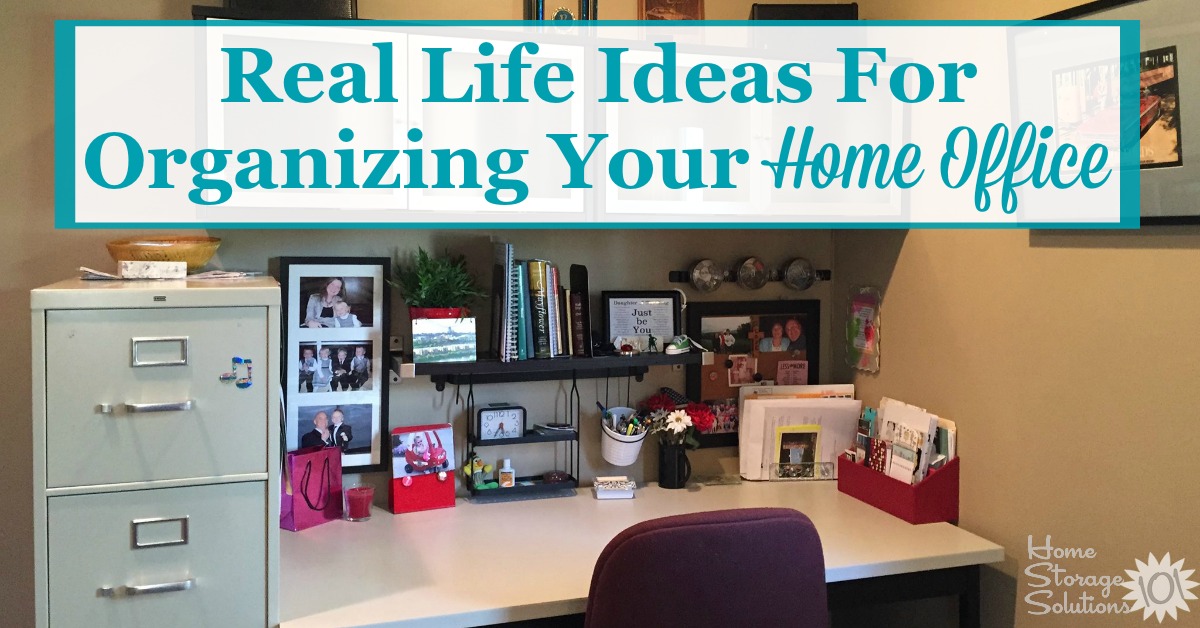
Credit: www.juicedsound.com
Desk Placement
Choosing the right spot for your desk shapes your workday. A well-placed desk boosts focus and comfort. It also controls light and noise around you. Thoughtful desk placement helps keep your workspace neat and inviting. Consider these key points to find the perfect desk location in your home office.
Command Position Benefits
Place your desk so you see the door without sitting directly in line with it. This “command position” makes you feel secure and aware. It helps reduce stress and improve concentration. You can spot visitors or distractions early. This setup supports better control over your work environment.
Window Positioning
Set your desk near a window for natural light and fresh air. Sunlight lifts your mood and energy levels. It also reduces eye strain from artificial lighting. Position the desk so you can enjoy the view without turning your back to the door. This balance keeps your workspace lively and calming.
Avoiding Glare
Glare on your screen causes headaches and tired eyes. Adjust your desk angle to prevent direct sunlight hitting your monitor. Use blinds or curtains to control brightness. Keep screens perpendicular to windows if possible. Reducing glare makes work easier and less stressful.
Power Outlet Access
Locate your desk near power outlets for easy device charging. Avoid stretching cords across walkways to prevent trips. Use a power strip with surge protection for multiple devices. Having outlets close means you stay connected without clutter. This setup keeps your desk neat and functional.
Minimizing Distractions
Place your desk away from noisy areas like TVs or busy hallways. Choose a quiet corner or a room with a door. Use rugs or curtains to absorb sound. Position your desk so that distractions stay out of sight. A calm spot helps maintain focus and productivity.
Ergonomic Setup
Setting up an ergonomic home office desk is key to comfort and productivity. It reduces strain and keeps you focused longer. A well-planned ergonomic setup helps prevent aches and injuries. Each part of your desk setup plays a role in your overall health.
Chair And Desk Height
Choose a chair with adjustable height and good back support. Your feet should rest flat on the floor. The desk height must allow your arms to bend at a 90-degree angle. Avoid sitting too high or too low to prevent discomfort. Adjust your chair and desk until you feel stable and relaxed.
Monitor Position
Place your monitor directly in front of you. The top of the screen should be at or slightly below eye level. Keep the screen about an arm’s length away from your eyes. This position reduces neck strain and eye fatigue. Tilt the monitor slightly backward to reduce glare and improve view.
Keyboard And Mouse Placement
Keep the keyboard and mouse close together and at the same level. Your wrists should stay straight, not bent up or down. Use a wrist rest to support your hands if needed. Avoid reaching too far to use the mouse. This setup lowers the risk of repetitive strain injuries.
Posture Tips
Sit with your back straight and shoulders relaxed. Avoid slouching or leaning forward. Keep your elbows close to your body and bent at 90 degrees. Change position often to avoid stiffness. Stand and stretch every hour to improve circulation and comfort.
Decluttering Strategies
Keeping a home office desk clean and tidy starts with strong decluttering strategies. Clutter distracts and wastes time. A neat desk helps focus and boosts productivity. Simple habits and smart choices keep your workspace clear and efficient. Follow these practical steps for lasting order.
Daily Planning
Start each workday by planning your tasks. Decide what papers and tools you need. Only keep items for today’s work on your desk. This prevents buildup of unnecessary clutter. A quick plan sets a clear workspace and mind.
Essential Items Only
Keep only essential items on your desk. Pens, notepads, and your computer should stay. Store extra supplies in drawers or shelves. Removing extras frees space and reduces distractions. A simple desk helps you focus better.
Use Of Storage Solutions
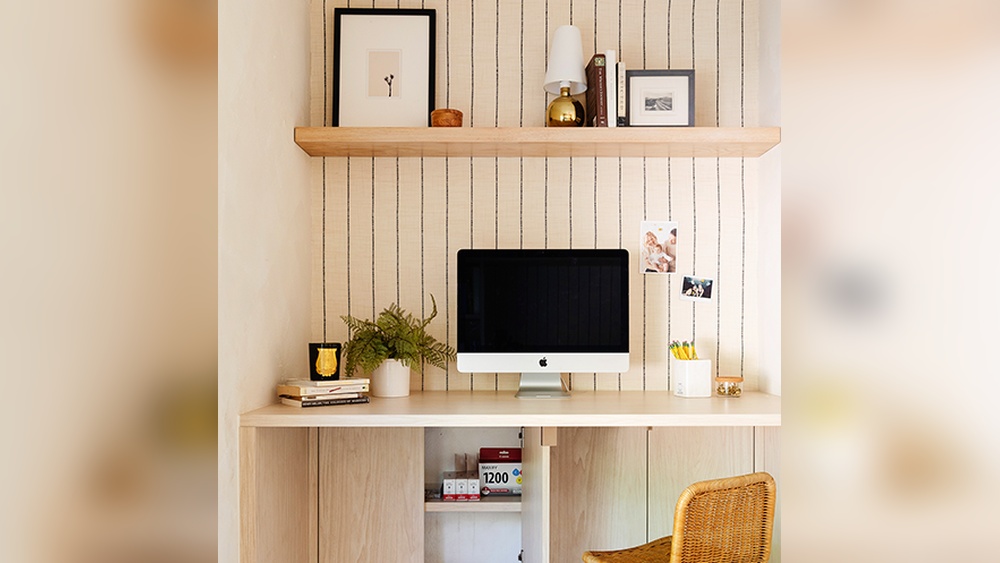
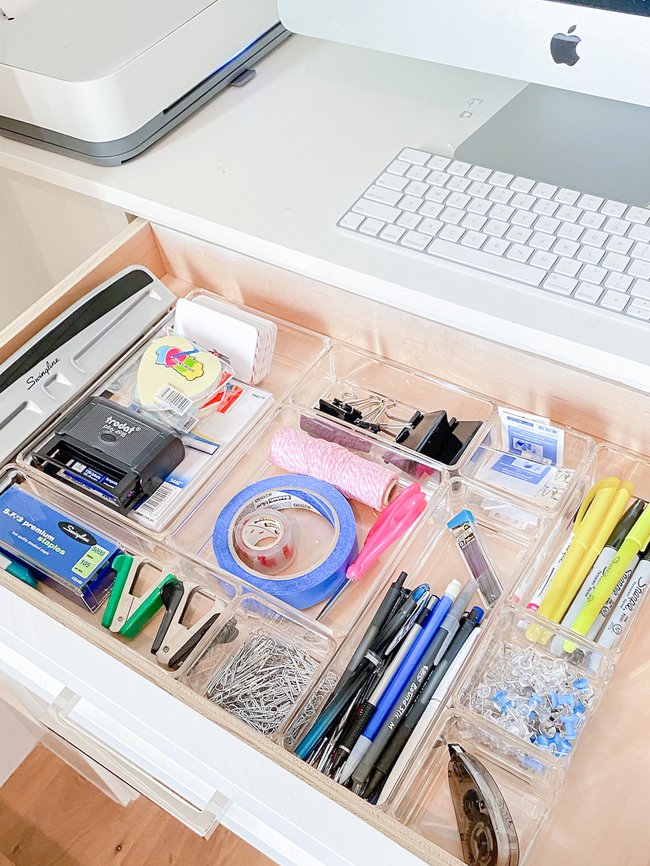
Use storage boxes, trays, or drawer organizers. Sort items by type and use them often. Label containers for easy access. Good storage keeps everything in place and easy to find. It also keeps your desk surface free.
Regular Cleanups
Set a weekly time to clean your desk. Remove trash, wipe surfaces, and organize papers. Check your supplies and discard what is not needed. Regular cleanups keep clutter from building up. A clean desk feels welcoming and ready for work.
Organizers And Accessories
Organizers and accessories play a key role in keeping your home office desk neat and efficient. They help you store essential items, reduce clutter, and make your workspace comfortable. Choosing the right tools can boost your focus and productivity. Below are some practical options to consider for your desk setup.
Desk Trays And Drawers
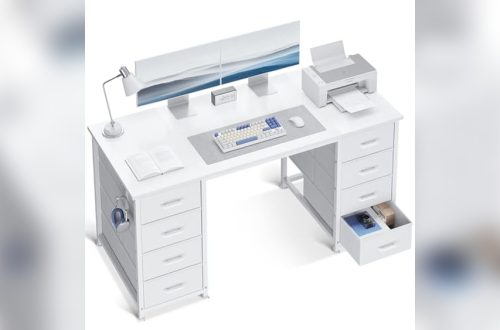
Desk trays and drawers keep papers and small items in order. Use trays to sort documents by priority or project. Drawers hide clutter and keep supplies close. Organizing with these tools saves desk space and makes finding things faster.
Cable Management
Cables often cause mess and distraction. Cable clips, sleeves, or boxes keep wires tidy and out of sight. Managing cables prevents tangling and damage. This simple step creates a cleaner look and safer workspace.
Charging Stations
Charging stations gather all your devices in one spot. They reduce the number of cables across your desk. A good charging station supports phones, tablets, and other gadgets. This accessory keeps your devices ready and your desk clear.
Monitor Stands And Arms
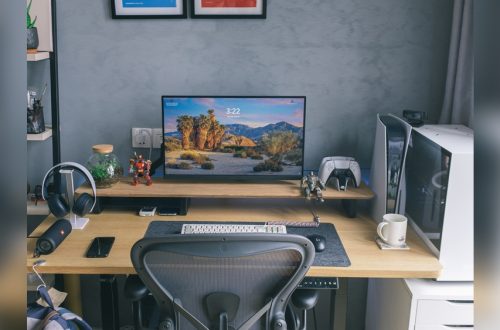
Monitor stands lift screens to eye level, improving posture. Adjustable arms allow flexible screen positioning. These accessories free up desk space underneath the monitor. They help reduce neck strain and create a tidy work area.
Personalizing Your Space
Personalizing your home office desk creates a space that feels just right for you. A personalized desk can boost focus and comfort. It turns a simple work area into a motivating spot. Small touches reflect your style and make the space welcoming. This section covers ways to add personality while keeping your desk organized and practical.
Inspiring Decor
Choose decor that motivates you daily. Photos of loved ones or favorite places add warmth. Simple artwork or quotes can spark creativity. Keep decor minimal to avoid clutter. A few meaningful items help keep your mind clear and focused.
Functional Lighting
Good lighting reduces eye strain and improves mood. Position a desk lamp with adjustable brightness. Natural light is best for energy and alertness. Soft, warm bulbs create a cozy atmosphere. Avoid harsh overhead lights that cause glare on screens.
Greenery And Plants
Plants add life and calm to your workspace. Small potted plants or succulents need little care. Greenery improves air quality and reduces stress. Choose plants that suit your light and space. A touch of nature makes your desk inviting and fresh.
Comfort Elements
Comfort supports long hours of work without fatigue. Use a cushioned chair or seat pad for support. Add a soft wrist rest for keyboard or mouse use. Keep a cozy blanket nearby for chilly days. Personal comfort helps maintain focus and productivity.
Credit: www.lifeinjeneral.com
Maintaining Productivity
Maintaining productivity at your home office desk requires more than just tidiness. It means setting up habits and tools that help you focus and work efficiently. A well-organized desk supports clear thinking and quick decision-making. This section explores key strategies to keep your productivity high throughout the workday.
Task Prioritization
Start by listing all your tasks for the day. Identify which ones need immediate attention. Use a simple system like marking tasks as high, medium, or low priority. Focus on high-priority tasks first to avoid feeling overwhelmed. Break large tasks into smaller steps to make progress easier. Keep your task list visible on your desk for quick reference.
Time Management Tools
Use timers or digital apps to manage your work periods. Set specific blocks of time for focused work and short breaks. The Pomodoro Technique is a popular method: work for 25 minutes, then rest for 5 minutes. Tools like calendars and planners help you schedule tasks and deadlines. These tools reduce procrastination and keep you on track.
Minimizing Interruptions
Choose a quiet spot for your desk away from distractions. Turn off non-essential notifications on your phone and computer. Set clear boundaries with family or roommates during work hours. Use noise-canceling headphones if needed. A clean desk also reduces visual distractions, helping you stay focused.
Healthy Work Habits
Maintain good posture by adjusting your chair and monitor height. Take short breaks to stretch and rest your eyes. Drink water regularly to stay hydrated. Avoid eating at your desk to keep the area clean and focused. These habits improve comfort and help sustain your energy during work.

Credit: www.hgtv.com
Frequently Asked Questions
How Do I Organize My Home Office Desk?
Organize your home office desk by decluttering, using trays and organizers, and keeping essential items within reach. Prioritize daily planning and regular cleaning.
What Are The 3 P’s For Having A Clean Desk?
The 3 P’s for a clean desk are Plan, Protect, and Pick up. Plan your tasks, protect your workspace, and pick up clutter regularly.
How To Position A Desk In A Home Office?
Position your desk facing the door with a solid wall behind for support. Place it perpendicular to a window to avoid glare and maximize natural light. Keep near power outlets and away from distractions or high-traffic areas to boost focus and comfort.
How Should A Home Office Be Arranged?
Arrange your home office desk in the “command position” with a solid wall behind you and the door in view. Place the desk perpendicular to a window for natural light without glare. Keep essentials organized and minimize distractions for better focus and productivity.
Conclusion
Organizing your home office desk improves focus and work quality. Start by sorting items into categories. Keep only what you need daily on the desk. Use containers and trays to reduce clutter. Arrange your tools within easy reach for efficiency.
Regularly clear your desk to maintain order. A clean space helps your mind stay calm and productive. Simple habits create a workspace you enjoy. Small changes make a big difference in your daily work. Try these tips to create a neat, organized desk today.